
CapCut template alternative: one photo in, a short vertical video out
Add one photo and one sentence and get a free 5-second vertical video, with no template to fill in. Below: how it differs from a CapCut template, and how long it took in our own records.
Free preview with a watermark. Sign in to download it or make another. We are not affiliated with CapCut. The table below lists only what its own pages say.
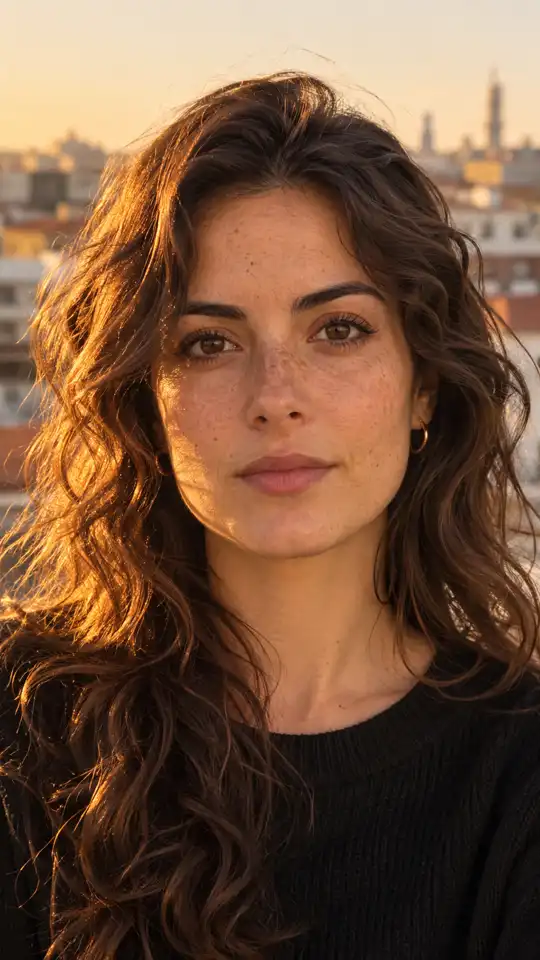
One photo in, one clip out: two of our own samples
Resized to 540 x 960 for this page. Each clip came from the photo above it and one sentence of ours.

A CapCut template and a clip from one photo, side by side
| CapCut templates | CastTake | |
|---|---|---|
| What you start from | A ready-made template, listed under categories such as Social, Holiday, Calendar and Anniversary | One photo of your own and one sentence about the movement |
| What you add | Not described on the templates page | Your photo and a sentence; the clip is made for you |
| Free or paid | The pricing page lists "Free templates to start fast" on the free plan and "All premium templates" on Pro | One free 5-second clip with a watermark; a paid 5-second clip is 10 credits |
| Sign-in | The "Try online for free" button leads to a login page | Not needed for the first free clip in United States, Canada, United Kingdom, Australia, New Zealand, Germany, Austria, Netherlands, Belgium, Luxembourg, Denmark, Sweden, Finland, Ireland, France; downloading needs a sign-in |
| Watermark on the export | Not stated on the pages we read | Yes on the free clip, none on paid clips |
| Clip shape | Each listing shows a clip length; the shape is not stated | Vertical 9:16, 720p |
CapCut facts are quoted from its templates page and its pricing page, which we read on 21 November 2026. Anything those pages do not say is marked as not stated, and it may have changed since.
What happens after you press the button
You press once
The photo and your sentence are checked before anything is made, and the price is on the button.
The clip is made
About 100 seconds in our records; 12 of 14 finished clips were done within 130 seconds.
You watch it
The free clip plays at once with a watermark.
You download or make another
Both need a sign-in. If you pay, the clip has no watermark.
When the clip is not what you wanted
- The clip does not look like the person in the photo
- Use one clear, front-facing subject in good light. Busy group shots give the movement little to hold on to.
- The free start failed
- A fault on our side usually returns the free start, so press again. If a safety check stopped it, use a different photo.
- It was refused
- Well-known public figures and sexual content are refused. A photo of a young person is accepted only when your sentence describes a plain, family-friendly scene, and is refused when we are unsure.
- There is a watermark
- The free clip has one. Clips you pay for have none.
What we measured: how long free starts took and how many finished
Our own task records, since October 27, 2026 (read 21 November 2026): n = 18 free starts from 17 accounts, 8 by guests and 10 by signed-in members. Staff and test accounts are left out.
| Measure | Value | Basis |
|---|---|---|
| Finished | 14 of 18 (77.8%) | every free start in the window |
| Failed on our side | 2 of 18 | the free start usually comes back |
| Stopped by safety checks | 2 of 18 | the free start may stay used |
| Median, press to finished clip | about 100 s | 14 finished clips |
| Done within 130 s | 12 of 14 | slowest about 207 s |
How we measured this
A read-only count over our task table: free starts are the tasks marked as a member free start or a guest free start, and times run from the moment the task was created to the moment it finished. This is a small sample, so read it as a rough guide, not a promise. We have no comparable figures for CapCut and show none.
Which route fits you
You want to cut your own footage
A template is a way to start an edit. If you have clips to arrange, an editor is the right tool and our tool is not one.
You have one good photo and no footage
This is the case our tool is for: the photo is the first frame and the clip is made around it, so there is nothing to cut.
You need a result in about two minutes
In our own records a free start took about 100 seconds from press to finished clip, so you can try it before you decide.
You want a specific trend look
Describe it in one sentence, or open one of our ready templates. We do not copy anyone's template: the look comes from your words.
How we wrote this
The CastTake team wrote this page on 2026-11-21. The CapCut column rests on its two public pages read on 21 November 2026; our column is read from the rules our own tool enforces today and the count above, and the clips shown are real outputs of our tool. We did not invent figures, and we use no CapCut logo or image.
CapCut template alternative: what people ask
Is this the same as a CapCut template?
No. A CapCut template is a ready-made edit you start from; its own page describes templates as a starting point for marketing, social media or personal storytelling. We make a short video from one photo and one sentence. They solve the same wish, a finished vertical clip, in different ways.
Do I need CapCut or an editor to use it?
No. You add one photo and a sentence, and the clip is made for you. If you want to add music, captions or cuts afterwards, any editor can open the file you download.
Is it free?
There is one free 5-second clip from your own photo, at 720p, with a watermark. Longer clips, clips without a watermark and more tries are paid in credits, and the price is on the button before you press it. It is a start with a shared daily pool, not open-ended use.
What does CapCut charge for templates?
On the pricing page we read on 21 November 2026, the free plan lists free templates and the Pro plan lists all premium templates. The page says its prices are for reference only and final prices show after sign-in, so we do not quote a figure. Check the page for your country.
How long does a clip take?
In our own records since October 27, 2026 (n = 18 free starts), the median was about 100 seconds from press to finished clip, and the slowest was about 207 seconds.
Who should not choose CastTake over a CapCut template?
Anyone who wants to control every cut, caption and sound on a timeline, or who needs a clip built from several of their own video files: a template editor is the better tool for that, because we make one short clip from one photo and one sentence. Also anyone who already has a CapCut Pro plan and is happy with its templates. We are the better fit when you have a single photo, no editing time, and want a finished vertical clip in about two minutes.
Can I use a photo of someone else?
Only if that person has agreed to be in the video. Well-known public figures and sexual content are refused, and a photo of a young person is accepted only when your sentence describes a plain, family-friendly scene.