
AI Image to Video Generator
Upload one photo, say how it should move, and get a video clip. Seedance 2.0 Mini clips start at 10 credits, and the price shows before you press Generate.

No hidden fees • Cancel anytime • Unused credits roll over
How AI image to video works
1. Upload a photo
A portrait, a pet, a product or a place: PNG, JPG or WebP up to 10 MB. Clear light and a subject that fills the frame give the cleanest motion.
2. Describe the motion
Say what moves and how the camera moves, for example "she turns to the camera and laughs as the camera pushes in". Pick a model, a length and a shape; the credit price updates as you choose.
3. Press Generate
The first time, you sign in with Google or email and your photo and prompt stay on the page. The finished clip plays right here, is saved under My videos, and we email you when it is ready.
What it costs
Every clip is priced in credits before you press Generate, and the button shows the exact number for what you picked. If a clip fails, its credits go back to your balance. See packs and plans on the pricing page.
| Model | Quality | Credits by length |
|---|---|---|
| MiniMax H3 | 720p | 5s: 10 · 8s: 16 · 10s: 20 · 15s: 30 |
| 1080p | 5s: 15 · 8s: 24 · 10s: 30 · 15s: 45 | |
| Seedance 2.0 Mini | 480p | 5s: 15 · 8s: 24 · 10s: 30 · 15s: 45 |
| 720p | 5s: 25 · 8s: 40 · 10s: 50 · 15s: 75 | |
| Veo 3.1 Fast | 720p | 8s: 72 |
| 1080p | 8s: 78 | |
| Kling 3.0 Turbo | 720p | 5s: 75 · 8s: 120 · 10s: 150 · 15s: 225 |
| 1080p | 5s: 90 · 8s: 144 · 10s: 180 · 15s: 270 |
No hidden fees • Cancel anytime • Unused credits roll over
Photo to video examples
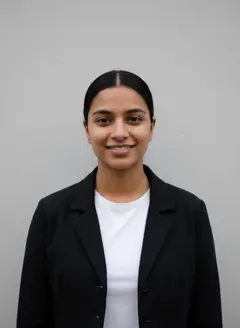
Each one is a real photo and the clip made from it with a model on this page. Tap a clip to play it, or load its prompt into the form.


Questions
How much does AI image to video cost?
A clip is paid for in credits, and the exact number shows next to Generate before you press it. The cheapest is 10 credits for 5 seconds on Seedance 2.0 Mini; a 5 second MiniMax H3 clip is 10 credits. Longer clips and higher resolutions cost more, as the table above shows. Credit packs start at 100 credits for $9.90. No hidden fees • Cancel anytime • Unused credits roll over.
Is there a free AI image to video option?
You can pick a photo, write a prompt and see the price without an account or a card. Making the video needs credits: any credit pack or plan unlocks every video model on this page. If a clip fails, the credits for it go back to your balance automatically.
What kind of photo works best?
One clear subject, good light and a sharp image. A portrait from the chest up, a pet looking at the camera or a product on a plain background all animate well. Busy group shots and tiny faces give the model less to hold on to. Only upload photos you have the right to use.
What is the difference between the two modes?
Animate this photo keeps your photo as the first frame, so the framing stays and the clip moves on from it. Same person, new scene keeps the person or object from your photo but lets the prompt set the scene and the camera, which is how the samples on this page were made.
Which model should I pick?
Start with the cheapest for a first test, then move up when you like the motion. MiniMax H3: sharp motion, keeps your product on screen. Seedance 2.0 Mini: budget clips for quick tests. Veo 3.1 Fast: google veo with native audio, 8s clips. Kling 3.0 Turbo: smooth motion from a prompt or a photo.
How long does it take, and where does my video go?
Most clips finish within a few minutes. You can stay on the page and watch it appear, or leave: the video is saved under My videos in your account, and we email you a link as soon as it is ready.
More ways to make a video
Want a ready-made viral format instead of your own prompt? Browse the AI video effects. Already a member? The full video studio adds text to video and every model.