
Seedream 5 Image Generator
Describe a picture, or add up to 3 photos to edit. Every image is 2K and costs 3 credits.
- Released:
- February 2026, by ByteDance
- Output:
- 2K, seven aspect ratios
- Version:
- Seedream 5.0 Lite
What Seedream 5 made in our tests
We ran Seedream 5 on 19 October 2026 with six prompts, all at 2K: two product ads, three built around lettering and one photo edit. Each ran once. Press Try this prompt to load it into the form above, or copy it.

A vertical soda ad with a headline and a button
9:16, 2K, text to image, 50 s (shown resized)
Headline and button text are exact and the layout is ready for a story slot. The fruit reads as lemon rather than yuzu, and the can has no label: add your own product photo for that.
Prompt we used
A vertical social media ad for a sparkling yuzu soda. A frosted glass can with condensation stands on crushed ice, sliced yuzu around it, bright pastel yellow background. Bold headline at the top: "COLD. CITRUS. ZERO SUGAR." Small button-style text at the bottom: "Shop now". Clean studio lighting, crisp product photography.
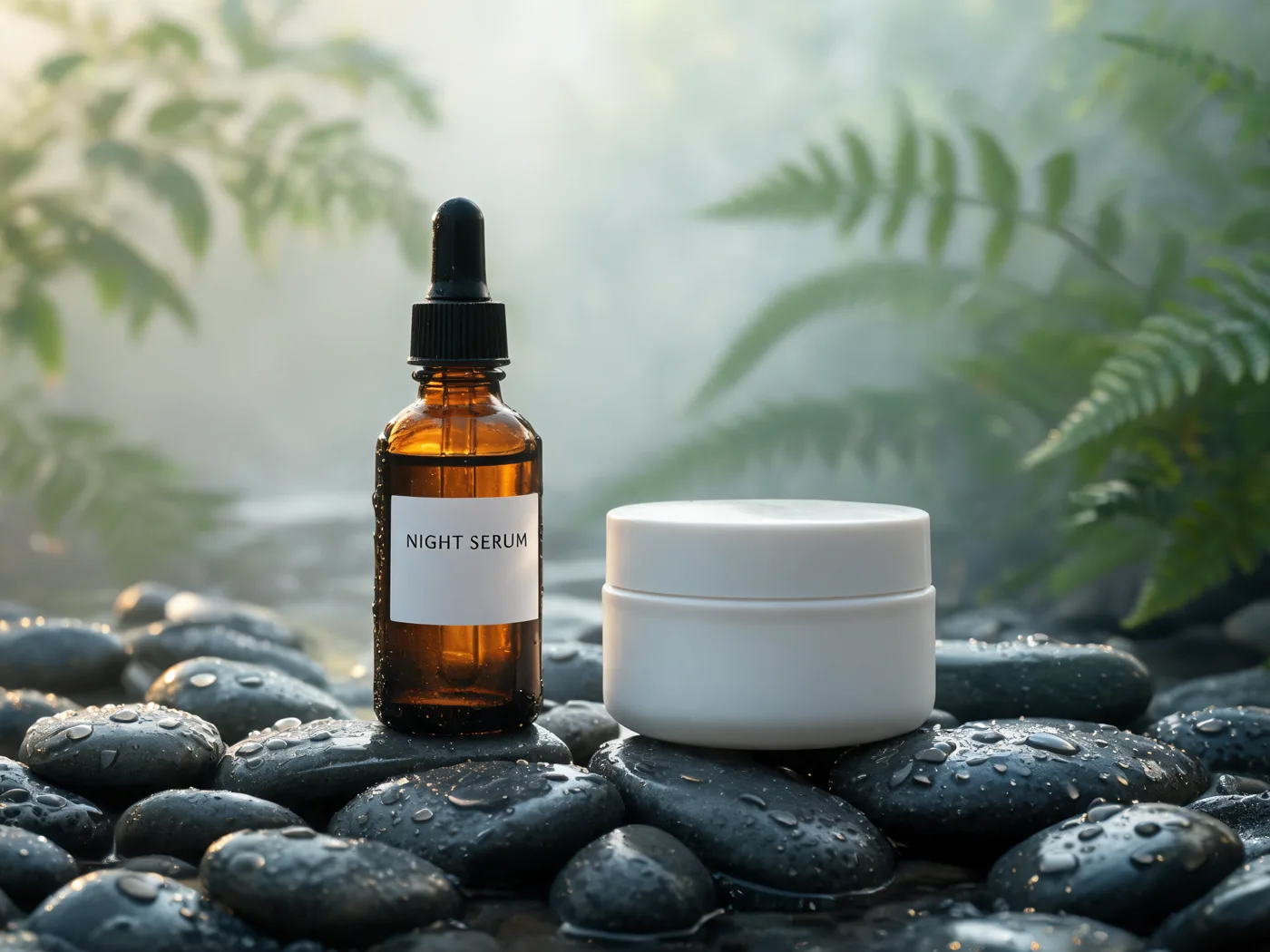
A skincare product shot on wet stones
4:3, 2K, text to image, 58 s (shown resized)
NIGHT SERUM is spelled right in a thin serif, the water drops and mist look photographed. The jar came out plain white with no label, since the prompt gave it none.
Prompt we used
A minimal skincare product shot: an amber glass dropper bottle and a white jar on wet river stones, soft green leaves in the background, morning mist, gentle side light. Label on the bottle reads "NIGHT SERUM" in thin serif type.
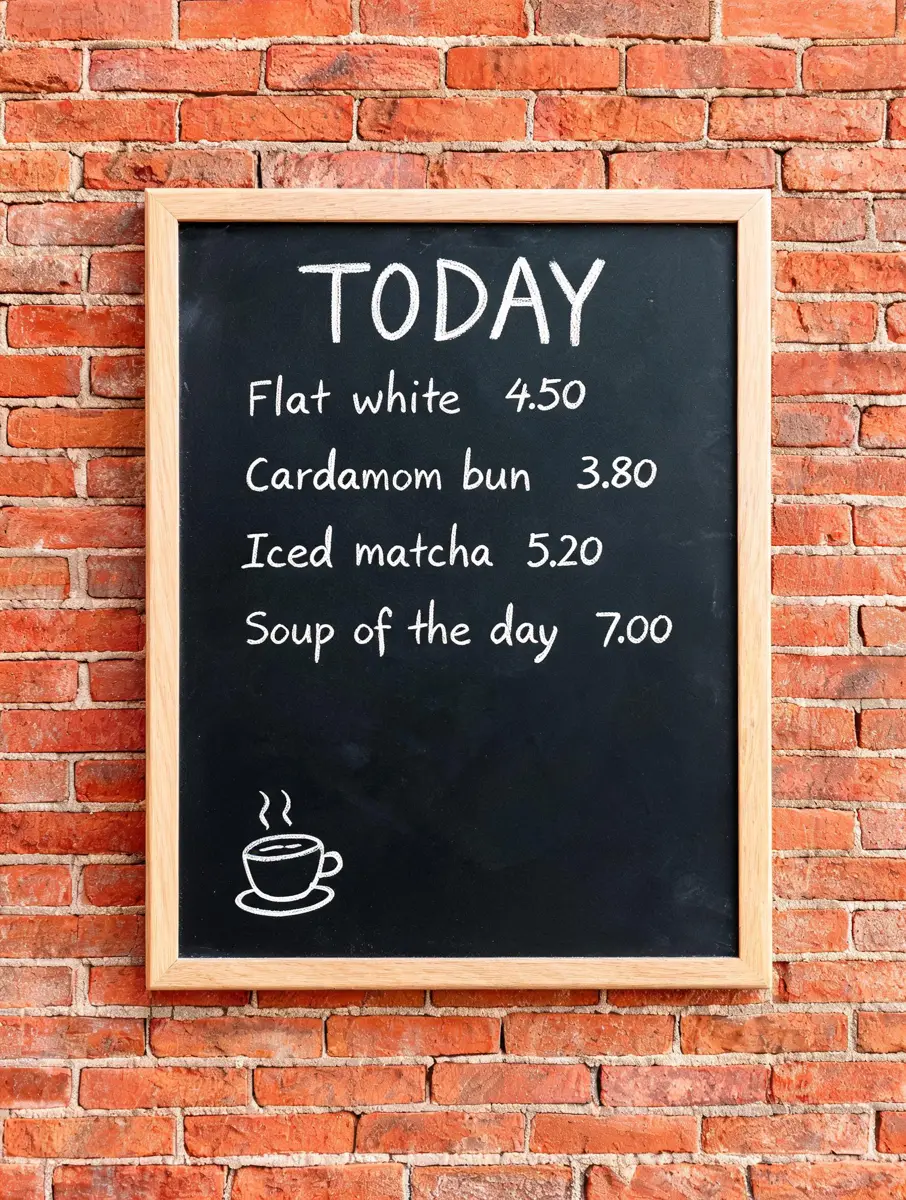
A chalkboard menu with four prices
3:4, 2K, text to image, 47 s (shown resized)
Every item and price is exact, and nothing was added beyond a wooden frame around the board. The fastest render of the batch.
Prompt we used
A cafe chalkboard menu hanging on a brick wall, hand-drawn chalk lettering. Title: "TODAY". Four lines, each with a price: "Flat white 4.50", "Cardamom bun 3.80", "Iced matcha 5.20", "Soup of the day 7.00". Small chalk doodle of a coffee cup in the corner. Even daylight, straight-on view.
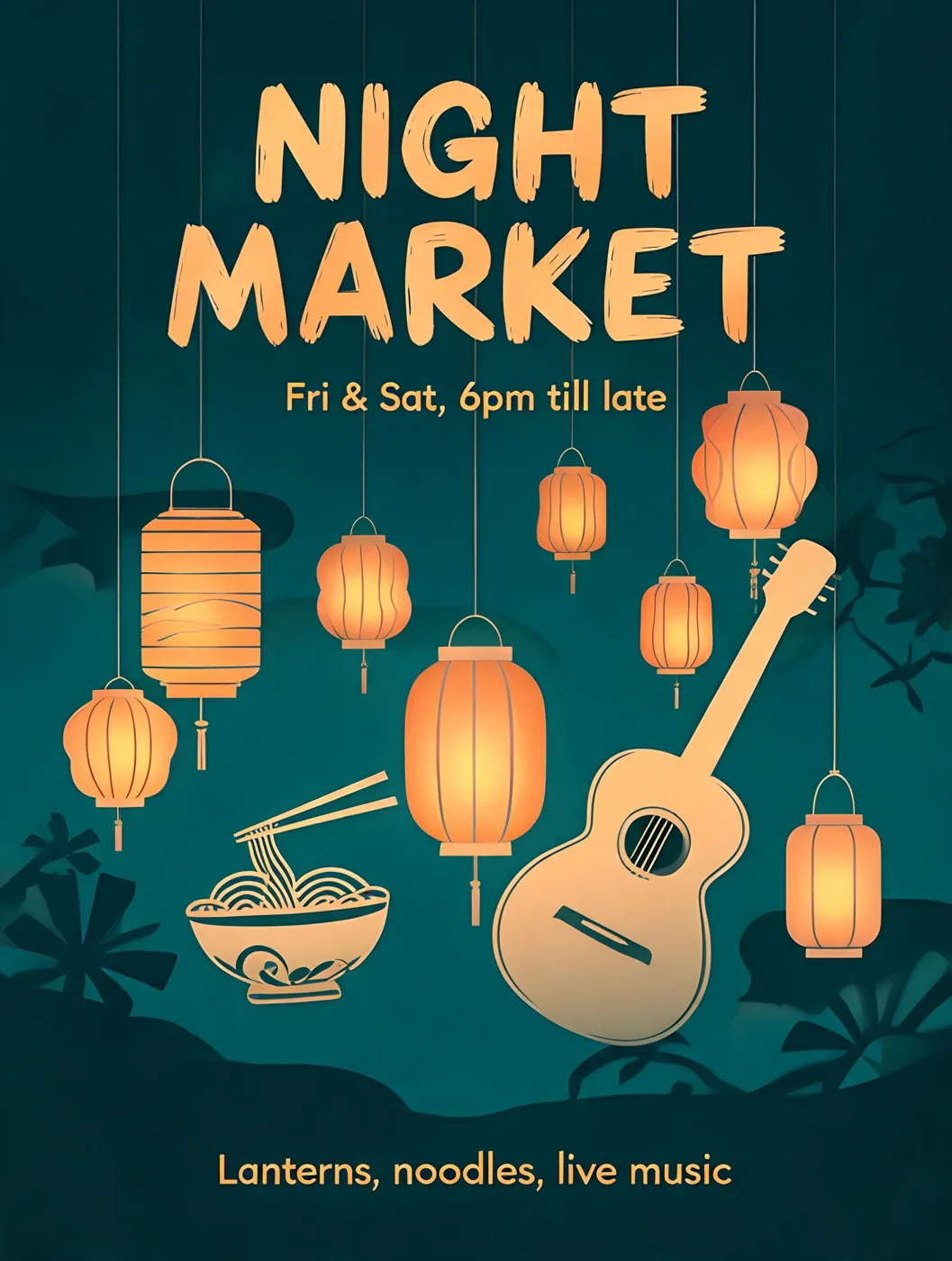
The night market poster
3:4, 2K, text to image, 50 s (shown resized)
All three quoted lines are correct and no extra words appeared. It drew the small print as pictures too: a noodle bowl and a guitar under the lanterns.
Prompt we used
A vertical poster for a neighbourhood night market. Headline in bold hand-lettered type: "NIGHT MARKET". Subline: "Fri & Sat, 6pm till late". Small print at the bottom: "Lanterns, noodles, live music". Warm lantern light, paper-cut illustration style, deep teal and amber palette.
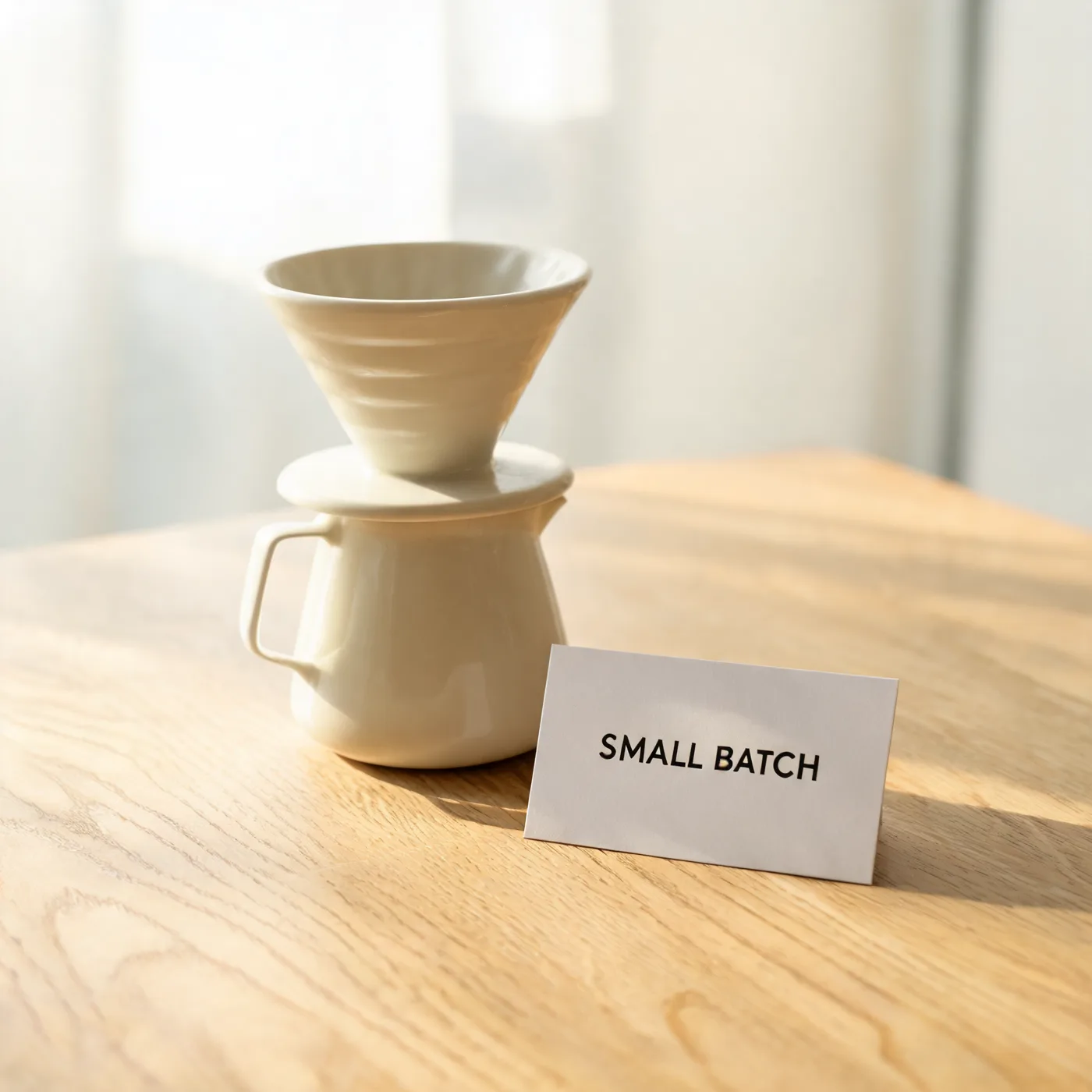
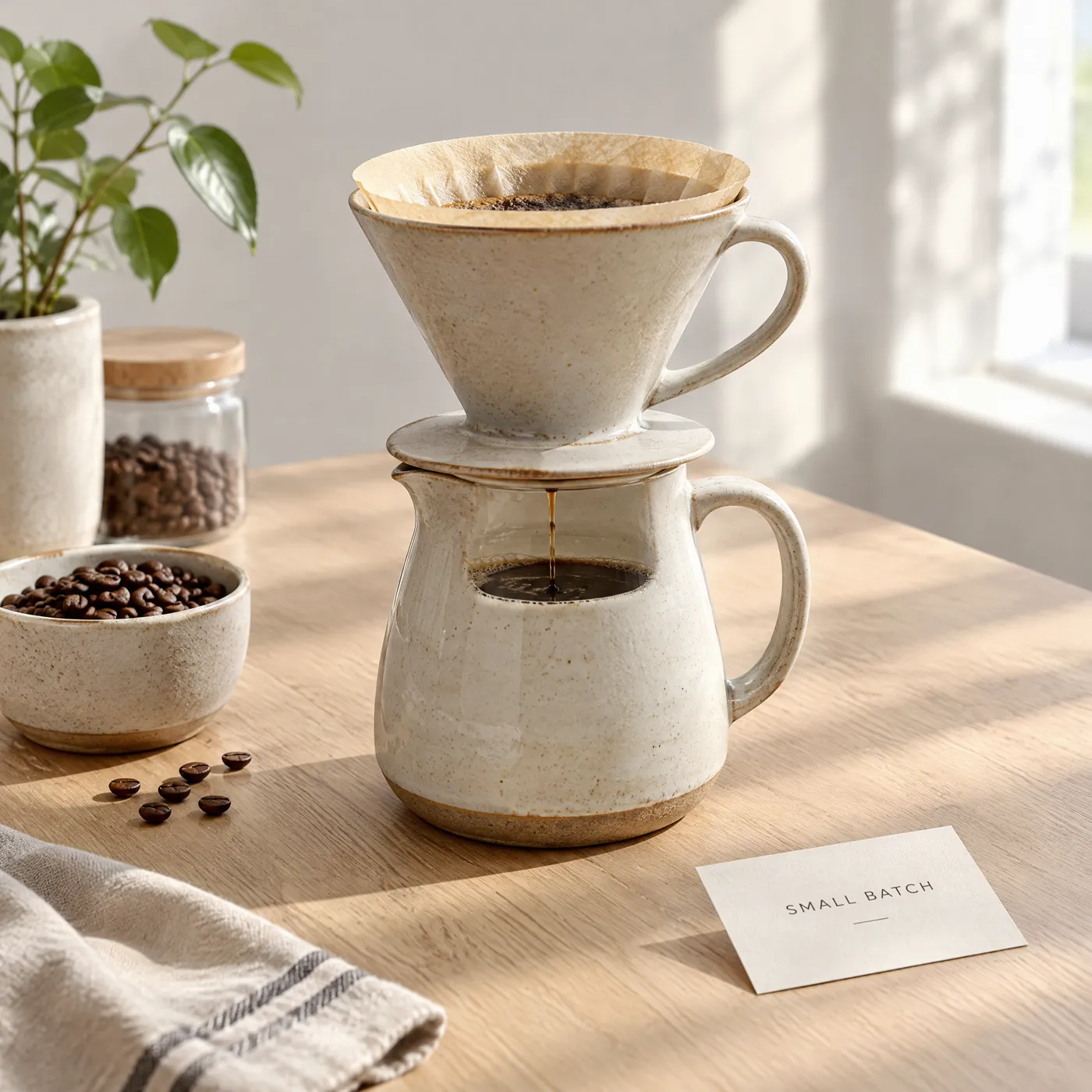
A 2K product shot with a printed card
1:1, 2K, text to image, 49 s (shown resized)
SMALL BATCH is exact and the dripper sits on its server the way a real set does. The file is 2048 by 2048 pixels.
Prompt we used
Product photo of a ceramic pour-over coffee set on a pale oak table, morning light, soft shadows, a small card beside it reading "SMALL BATCH" in clean sans-serif type.
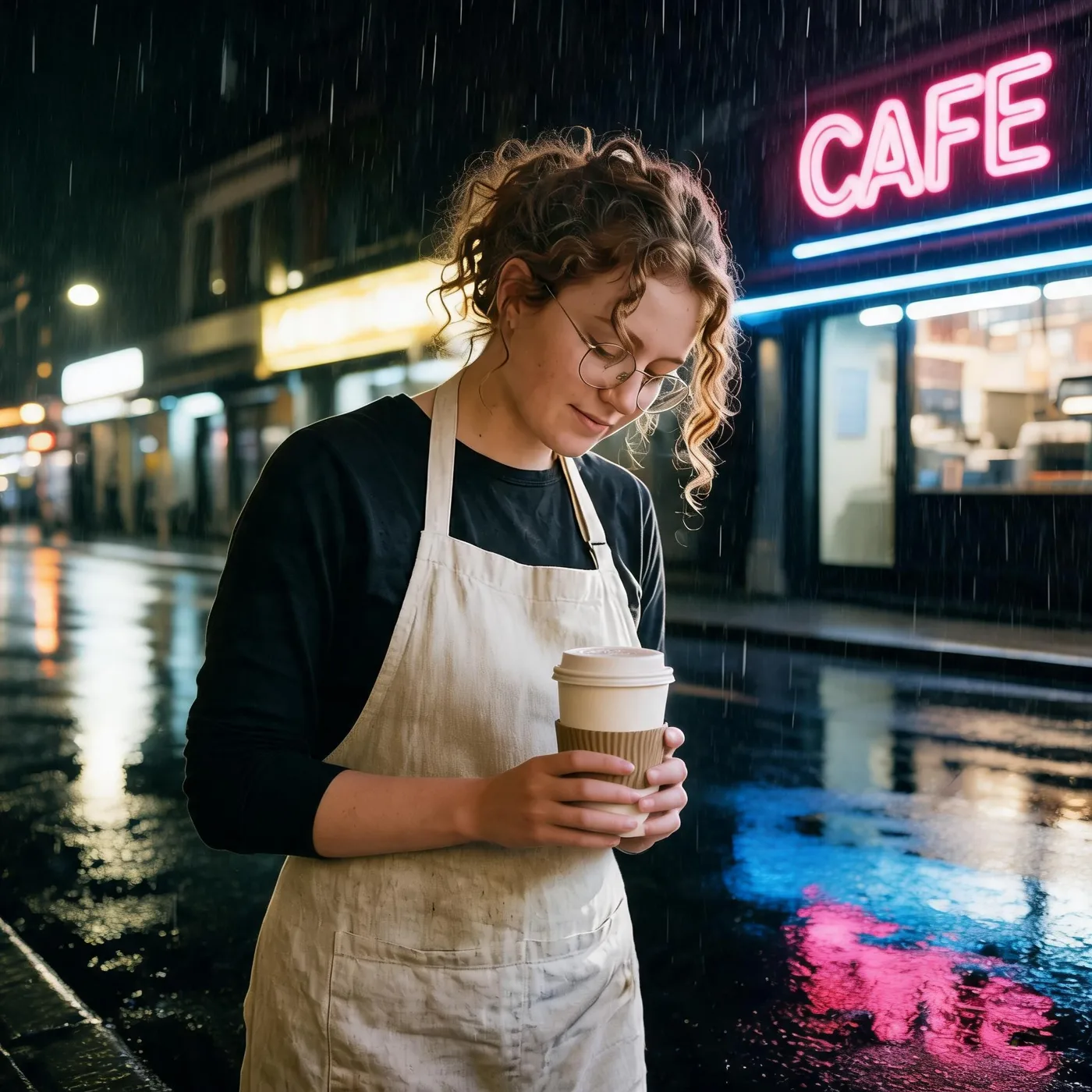
Photo edit: same person, rainy street
1:1, 2K, 1 reference photo, 61 s (shown resized)
Curls, hair colour, round glasses, dark top and apron all held. She looks down at the cup, so less of the face shows, and it invented a readable CAFE neon sign.
Prompt we used
Keep the same person: same face, curly auburn hair, round glasses and cream apron. Move her outside the cafe on a rainy evening street, holding a paper cup, neon sign reflections on the wet pavement.
Next: turn a product still into a video ad with the MiniMax H3 video generator.
Seedream 5 versus GPT Image 2.5 on the same prompts
Four of our prompts are the exact ones on our GPT Image 2.5 page, so the two models can be compared on identical inputs. One run each: a hint, not a verdict.
Seedream 5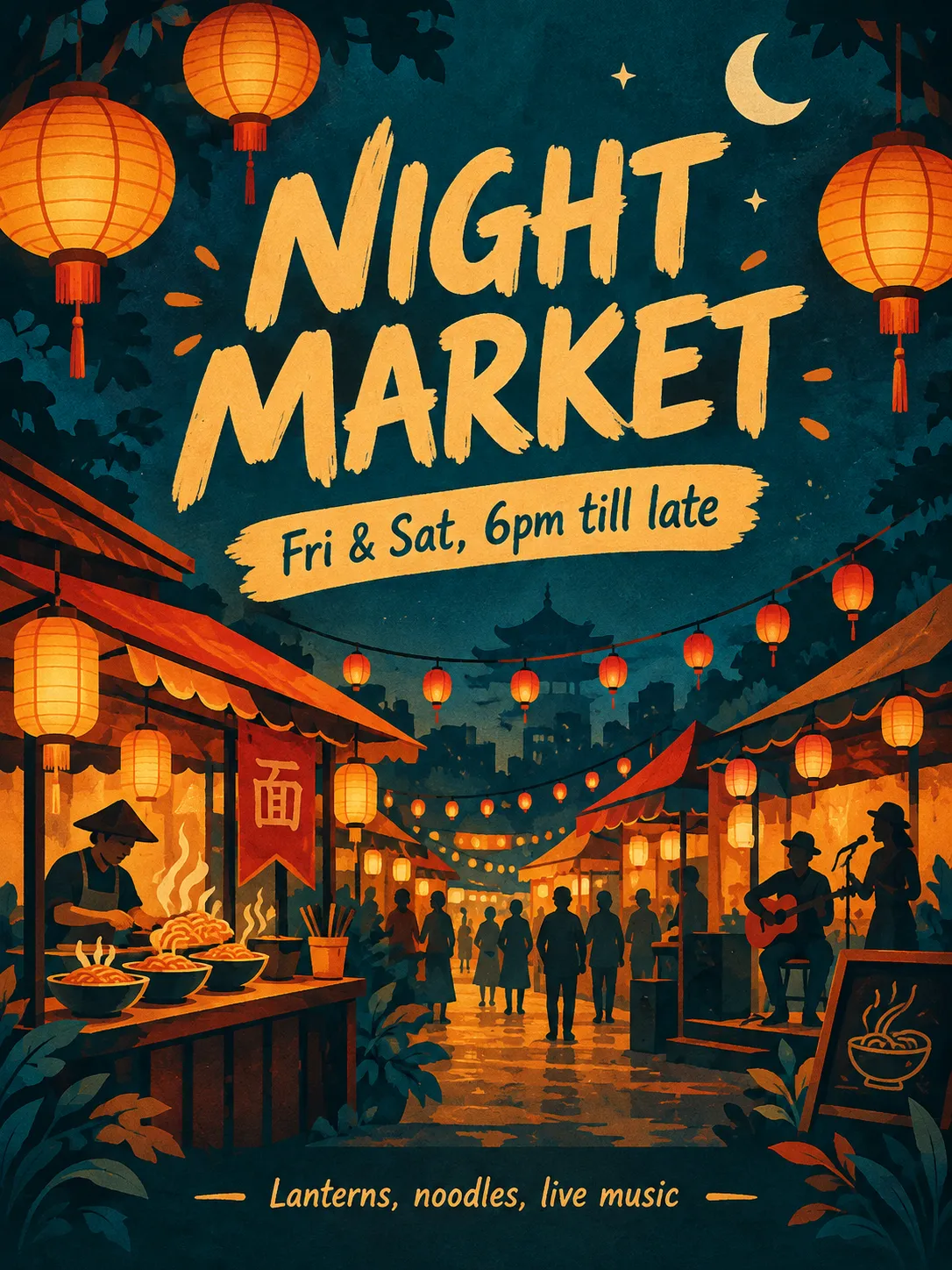 GPT Image 2.5Seedream 5
 GPT Image 2.5
| Test | Seedream 5 | GPT Image 2.5 | Pick |
|---|---|---|---|
| Chalkboard menu, four prices | All lines exact, added a frame. 47 s. | All lines exact, added dotted leaders. 74 s. | A draw on text; Seedream 5 was faster. |
| Poster, three quoted lines | All three lines exact, no extra words. 50 s. | All three lines exact, plus one stray character on a banner. 85 s. | Seedream 5 when only your words may appear. |
| Product shot with a card | SMALL BATCH exact; plausible ceramic set. 49 s. | SMALL BATCH exact; jug with an impossible see-through window. 47 s. | Seedream 5 for believable objects. |
| Edit: same person on a rainy street | Hair, glasses, apron held; head turned down; CAFE sign. 61 s. | Hair colour held, face to camera; COFFEE sign. 95 s. | GPT Image 2.5 when the face must be fully visible. |
Seedream 5 price, and which image model to pick
Credits per 2K image, from the same rate card the Generate button uses. All four are in the picker above.
| Model | Credits per image | Best for |
|---|---|---|
| Seedream 5 | 2K 3 | Ad layouts, labels and signs where only your words should appear; believable product shots. |
| Seedream 4.5 | 2K 4 | The earlier Seedream, still in the picker for prompts tuned on it. |
| GPT Image 2.5 | 2K 6 | Edits that must keep a face toward the camera; 4K files. |
| Nano Banana 2.1 | 2K 4 | The cheapest option at 1K when you are still exploring an idea. |
Every model and price is on the models page; credits come from a plan or a top-up pack.
How to use Seedream 5 on CastTake
- Seedream 5 is already selected in the form above. Pick an aspect ratio; every image is 2K.
- Write the prompt. Put every word that must appear inside quotation marks, in reading order.
- Optional: add up to 3 photos, such as your product, to edit instead of starting from nothing.
- Check the credit price on the Generate button, press it, and the image appears beside the form in about a minute.
Limits we hit with Seedream 5
What went sideways, so you know what to check before you rely on a result.
- Without a reference it invents the product: a blank soda can, a jar with no label. Add your own product photo for anything you sell.
- It draws words as pictures too: "noodles, live music" became a noodle bowl and a guitar on the poster.
- In the edit the person looked down at the cup, so the face is less visible than in the reference.
- Only 2K is offered. Each prompt ran once, so treat the comparison as a hint and test your own prompt.
| Image | Size | Inputs | Render time |
|---|---|---|---|
| Chalkboard menu | 3:4 at 2K | Text | 47 s |
| Pour-over product shot | 1:1 at 2K | Text | 49 s |
| Night market poster | 3:4 at 2K | Text | 50 s |
| Soda story ad | 9:16 at 2K | Text | 50 s |
| Skincare on stones | 4:3 at 2K | Text | 58 s |
| Rainy street edit | 1:1 at 2K | 1 photo | 61 s |
Seedream 5 questions
What is Seedream 5?
Seedream 5 is the image model ByteDance released in February 2026, the successor to Seedream 4.5. It makes pictures from a text description and edits photos you give it, and it is known for clean typography and realistic product photography. CastTake runs Seedream 5.0 Lite, the version built for everyday generation and editing. Pick it in the model list above, type a prompt, add up to 3 reference photos if you want an edit, and see the credit price before you press Generate. We ran six prompts on 19 October 2026 and published every result with its prompt and render time.
Is Seedream 5 free?
There is no free tier for it on CastTake, but a test costs little. One 2K image is 3 credits, and the Generate button shows the total before anything runs, so you never pay for a surprise. A few tries cost less than a short video clip. Every prompt on this page can be loaded into the form with one press or copied, which saves the first few retries. A failed render is not charged. Credits come from a monthly plan or a one-time top-up pack, and the pack credits do not expire.
Seedream 5 or Seedream 4.5: what changed?
Both sell at 2K on CastTake, Seedream 5 at 3 credits and Seedream 4.5 at 4. In our run Seedream 5 kept quoted text exact on every image, did not add stray words to the night market poster, and drew a product set that looks like real ceramic. Renders took 47 to 61 seconds. Seedream 4.5 stays in the picker because some saved prompts were tuned on it and results can differ between versions. If you are starting fresh, begin with Seedream 5 and compare the two on your own prompt; switching models in the form keeps your prompt and photos in place.
Seedream 5 or GPT Image 2.5: which is better?
On four identical prompts it split by task. Seedream 5 matched GPT Image 2.5 on the chalkboard menu, beat it on the poster by adding no stray words, and drew a believable product set where GPT drew a jug with an impossible window. GPT Image 2.5 did better on the photo edit, keeping the face toward the camera, while Seedream 5 turned the head down. Seedream 5 was also faster here, 47 to 61 seconds against 47 to 95. At 2K Seedream 5 costs 3 credits and GPT Image 2.5 costs 6. Use Seedream 5 for ads and labels, GPT for faithful portraits.
Can Seedream 5 write text inside images?
Yes, and that is where it was most reliable for us. A four-line chalkboard menu with prices, a three-line event poster, a product card, a skincare label and a three-line ad headline with a Shop now button all came out spelled exactly as typed, first try. Put every word that must appear in quotation marks, list the lines in reading order, and say where each one should sit and in what style of type. It may still draw extra objects that match your words, such as the noodle bowl and guitar on our poster, so check the whole picture before you publish it.
Can I use Seedream 5 images for ads and products?
Paid credits on CastTake come with a commercial licence, so you can use what you generate in your own marketing, including social ads, product listings and posters, as long as it follows our terms and does not copy someone else's brand or likeness. For a real product, add a clear photo of it as a reference so the shape and label match what you sell; a text prompt alone invents a generic can or jar, as our soda and skincare tests show. Pick the aspect ratio for the slot first, 9:16 for stories and reels or 1:1 for feeds, and then use the still as the first frame of a video ad if you want motion.
More from CastTake
- MiniMax H3 video generatorTurn a Seedream 5 product still into a video ad with sound.
- GPT Image 2.5 guideThe model we compared against, with its own test renders.
- Every model and its priceThe full rate card for every image and video model we sell.
- AI image generatorThe same form with every image model in one picker.