
Why the face comes back different, from our own test run
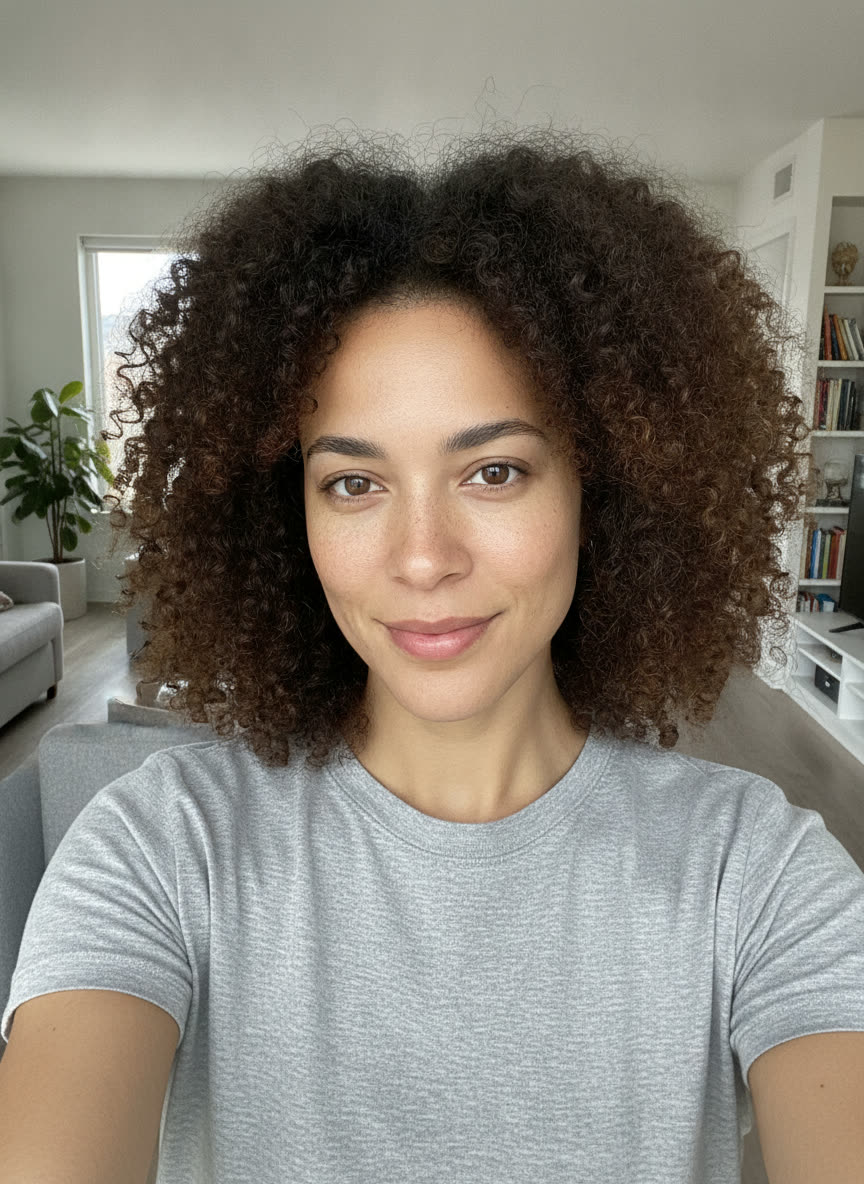
A common complaint about this trend is that the result does not look like the person in the photo. We ran every style on this page against one face to see where that happens, and what went wrong was more specific than "AI changed the face".
- The skin tone moved with the styling. The department store studio render came back with lighter skin and the curls turned into a perm, even though skin tone is named in the likeness rules. Our guess is that the model applied the period look to the face as well as the hair and clothes.
- A modern photo in front of a retro wall. Our first yearbook render kept the face but looked like a recent photo taken in front of a laser backdrop. Asking for a real print from around 1985, clothes cut the way they were then, and 35mm colour negative film fixed that render, so that rule now sits in every prompt.
- Invented lettering in the background. The arcade render filled the game cabinets with made-up lettering despite the no-text rule. In our run the scene with the most signage was the one that broke the rule, so check the background before you post.
Five checks before you upload a selfie
- Face the camera at eye level. A steep selfie angle hides part of the face, so the model has less of it to copy.
- Use even light with no hard shadow across one side.
- Keep glasses on if you wear them, and nothing else over the eyes.
- Turn off beauty filters. A filtered photo gives the model a smoothed face to copy.
- Crop close enough that your face fills a good part of the frame, especially in a couple or group photo.
How to write a 1980s AI photo prompt that keeps your face
An 80s photo prompt has to change nearly everything in the picture and leave the face alone. Every prompt here handles that by putting its parts in a fixed order. This is the yearbook prompt taken apart.
1.LikenessAnchors the face before anything else is described.
Use the uploaded photo as the identity reference. Keep every person in it recognisably the same: same face shape, eyes, nose, mouth, skin tone, freckles and moles, apparent age and gender presentation. Do not smooth or retouch the skin, do not slim the face, keep the same number of people.
2.SceneA real place and a real camera, not a mood.
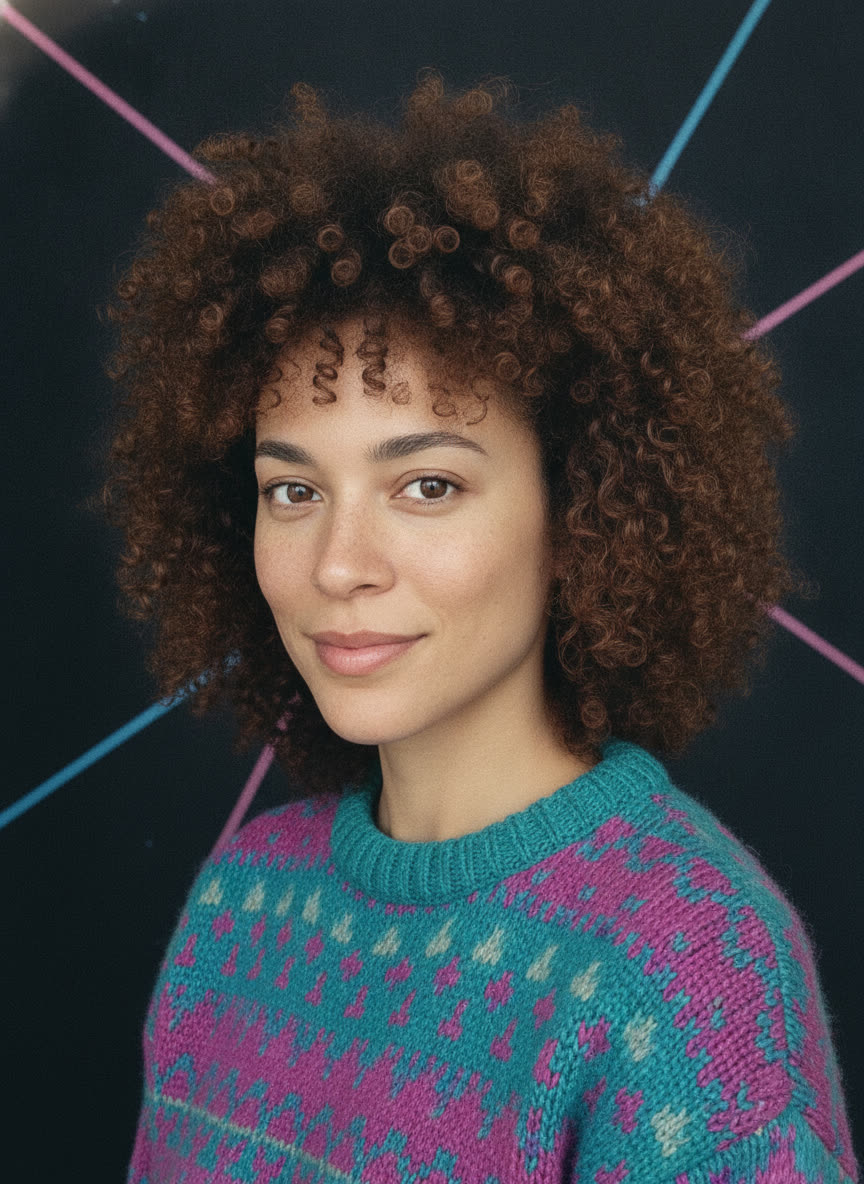
Restyle it as a 1980s school yearbook portrait: head and shoulders, body turned slightly with the face to camera, in front of a blue and pink laser-beam backdrop, soft even studio light, feathered or permed hair, a knit sweater or collared shirt.
3.PrintFilm, grain and colour, plus the no-text rule.
Change only the hair styling, clothing, pose, background, lighting and film look. It must read as a real print from around 1985, not a modern photo with a retro filter: clothing cut and fabrics of the period, shot on 35mm colour negative film, visible grain, slightly soft focus, lower contrast and a warm faded colour cast. No text, captions, dates, logos or watermarks anywhere in the image.
Name a place, not a mood
"Retro 80s vibes" gives a model little to work with. "Mottled blue-grey canvas backdrop, direct flash that is a little flat" describes a photo that could have existed. The styles and the mixer are named after places people had their picture taken: picture day, a department store studio, a house party, a mall arcade.
The 80s yearbook AI prompt and its laser backdrop
The yearbook look people remember is specific: head and shoulders, body turned a little, face square to the camera, and behind it a dark backdrop crossed by blue and pink laser beams. That background is remembered from US school picture day, when school photo companies such as Lifetouch took yearbook portraits. The yearbook prompt names the backdrop outright instead of hoping "80s school photo" finds it.
Details that make an AI photo read as the 1980s
The prompt lists we checked for this search rarely name a camera or a film. These are details you can put in a prompt, each with where the history comes from.
| Detail | The history | Words to use |
|---|---|---|
| Direct on-camera flash | Some prompt lists treat direct flash as a 90s look. It was already on compact cameras before the 80s began: the Konica C35 AF, the first mass-produced autofocus camera, came out in November 1977 with a built-in flash. Konica C35 AF | harsh on-camera flash, dark falloff behind |
| Square instant print | Polaroid 600 film arrived at the end of 1981: ISO 640 against SX-70 film at 160, a square picture, and nearly every 600 camera had a built-in flash. Polaroid 600 history | square instant print with a white border |
| Grainy consumer film | In 1983 Kodak launched Kodacolor VR disc film after customers complained that disc camera photos were too grainy. Christian Science Monitor, 1983 | colour negative film, visible grain, warm faded colour |
| Department store portrait studio | In a 1980s Kodak survey, 60% of the people asked named Olan Mills when portrait photography came up. Pop Culture Retrospective | mottled canvas backdrop, flat studio flash, stiff pose |
| Glamour Shots makeover | Glamour Shots opened its first store in 1988. Its look was purple eyeshadow, satin gloves and feathered accessories, and one of its stylists put the hair rule as "no such thing as too much hair." Mental Floss | soft-focus diffusion, backlit teased hair, bold eyeshadow |
ChatGPT, Gemini or this page: where to run the prompt
All three take a photo and an edit instruction, and the prompt is the same text in each. We could not find a fixed free image count published for either chat app. What differs is what each one is good at.
| Where | Best for | Not ideal for | Cost |
|---|---|---|---|
| ChatGPT | Small follow-up changes in one conversation, like keeping the hair and changing the jacket. | Several quick takes on a free account, which has an image limit. | Free tier with a limit, or a paid plan. |
| Gemini | Trying Nano Banana 2 for free, a newer model in the same family as the one used here. | Unmarked images by default: a visible watermark is on unless you turn it off in settings, and an invisible SynthID mark always stays. | Free tier with a limit, or a paid plan. |
| This page | Up to four takes of one style in one press, saved to a library, with a retry on a stronger model. | Someone who only wants one free picture. Copy the prompt instead. | 3 credits a photo, refunded if it fails. |
Sources: Google's Gemini image generation overview and GSMArena on the visible watermark setting.
Questions about the 80s AI photo trend
Is there a free 80s AI photo generator?
The prompts on this page are free and work in the free tiers of ChatGPT and Gemini, which both let you attach a photo and ask for an edit. Both limit free image generation, and we could not find a fixed free image count published for either, so expect to wait if you reach the limit. Gemini adds an invisible SynthID mark to its images and, unless you switch it off in settings, a visible watermark too. Generating here is not free: one photo costs 3 credits, and a failed photo is refunded automatically.
How do I keep my face the same in the 80s AI photo trend?
Put the likeness instruction first, before any styling, and be specific about what must not change: face shape, eyes, nose, mouth, skin tone, freckles and apparent age. Add "do not smooth or retouch the skin", because smoothing the skin is one of the ways these edits stop looking like you. Use a sharp, front-facing photo with even light and nothing over your eyes, and keep glasses on if you wear them. If one result still drifts, run the same prompt again before rewriting it, or try a stronger model.
Can I use this 1980s photo prompt in Gemini?
Yes. Open Gemini, attach your photo, paste the prompt and send it. Each prompt here is written as plain instructions with no ChatGPT-specific wording, so the same text works in both. It is also exactly what the Generate button on this page sends, on Nano Banana, an earlier model in the same family as Gemini's Nano Banana 2. If Gemini will not edit a photo, try a clearer one before rewriting the prompt: a large, sharp, evenly lit face with no heavy filter gives any model more to keep hold of.
How do I make an 80s yearbook photo with AI?
Pick the School yearbook style at the top of this page and copy its prompt, or upload a selfie and generate it here. The style asks for a head-and-shoulders portrait with the body turned slightly and the face to the camera, soft even studio light, feathered or permed hair and a laser-beam backdrop in blue and pink, the background many people remember from US school picture day. A front-facing photo taken at eye level works best, because the yearbook pose keeps the face square to the camera and a steep selfie angle hides part of it.
Does it work with a couple or group photo?
Every prompt tells the model to keep the same number of people, so a couple photo should come back as a couple rather than one person. We have only tested single faces, though, and small faces give a model less detail to keep. For a couple or group, use a photo where every face is large and clearly lit, and expect to need more than one try. If one person drifts, a closer crop gives the model more of each face to work from.
Why is my ChatGPT 80s photo not generating?
ChatGPT does not always say why an image fails, so treat this as a checklist rather than a diagnosis. Free accounts have an image limit, and reaching it can look like an error until the limit resets. Check that the photo actually attached and is a normal JPEG or PNG. Try a new chat with just the photo and the prompt, so nothing earlier in the conversation is steering the request. If you need the picture now, paste the same prompt into Gemini, or upload the photo here and generate it; a failed generation here is refunded.